internship
Showing posts with label internship. Show all posts

New Job, Who Dis? Part II


From Intern to Coordinator 

I received some very exciting news recently...I was asked if I wanted to stay on at SwRI as a regular employee!


So today was my first official day as a regular employee. My time at SwRI has been great - I've learned so much about the library and have even learned about myself. For instance, I would not have thought that I liked working with rare books. Turns out, I am fascinated by their history and loved putting the virtual exhibit together. 


I've worked a lot of different types of jobs in my life but this is the first job that truly fits; not only what I can do now, but one that will allow me to learn and grow as well. The fact that librarianship is ever-changing is part of what drew me to the profession, to begin with. But the fact that I can use my skills in Adobe and video (at my current skill level) and not feel intimidated that I cannot create advanced, complex work is perfect. I love that I can be both creative and logistical. I like that I'm allowed to try different things, learn about areas that interest me, and that I get to work on multiple projects.


Beyond thrilled to be in an environment where I can apply my skills and experience to aid the various amazing projects going on here.

"...It is the journey that matters, in the end"


“It is good to have an end to journey toward; but it is the journey that matters, in the end."
Ursula K. Le Guin

Last Week of the Practicum Last Week of the Practicum This week was the last week of the UNT practicum. Because I have to write a short reflective essay, I won't add any mushy stuff here. Just wanted to officially document the end of another semester!


Famous Mathematician Virtual Exhibit This week we decided to make the Famous Mathematician exhibit live. Because I created the website, I had to go back and add the Google Analytics tracking codes. Now, we can track visitors to each page. Each hyperlink also received its own tag, so we can also see which tidbit of information people were most interested in. Were they interested in the Galilean moons or in the film, Pi? Did people want to read up on Jerry Tarkanian, or unlike me, do they already know who he was? I'm curious to see how many people view it and what the overall impression is.  

We won't announce the audio tour until we get our lobby monitor. But that is more or less ready to go.  

On Friday, my boss, my co-worker, and I received an email from the staff newsletter saying that they wanted to run a short story on the virtual exhibit. Awesome! I'm honestly glad that they gave us the questions because I'm a horrible interviewee and pep-talker. My answers in person would have been "Uhh...I don't know, I just did it." They asked what we are most excited about and the opportunities that this now presents.  


LMS Training Now that we have a few on-demand tutorials in the bag, my boss wants me to start thinking of providing LMS training. At work, staff can take different online courses through our own LMS system. The system then counts the points or hours of each course to show that we're continuing our professional development.  

After watching the Lynda.com course on hotspots in Camtasia, I thought I should try to start an LMS course. Because this will be my first hotspot-making-quiz-adding video and because we'll want to submit this to our LMS system, of which I know nothing about, I figured I would spend this course working on the technical aspects as opposed to the content.  

For this first training, I've decided to call it Scopus Basics. Though I will re-record each section, I'm borrowing heavily from the on-demand tutorials already created. Based on the progression of this course, some learning objectives will move around. However, I think by going about this route, 

I can work out any technical SCORM-type kinks and then focus on new content for the next installment. 

"Certainly I can!"


“Whenever you are asked if you can do a job, tell 'em, 'Certainly I can!' 
Then get busy and find out how to do it.”
Theodore Roosevelt

Primo Issues Well, some of the records I edited ended up getting harvested and popping up in Primo search this week. That's a good thing. I'm like 80% sure the problem is something in the 500 field. So I did a batch record modification and deleted the 500 field from all but three records (so that we have a control group). The harvesting happens later in the week so it won't be until next Monday that we know for sure if it is the 500 field.  


Our Library During the Pandemic: The View from the UX Office I watched this session of the SLA Texas Annual Meeting this week. It was presented by Rice University's Public Services/Psychology Librarian, Amanda Thomas. They discussed their various library advisory groups which were interesting. Not that they have one, but that they have many! One of the biggest takeaways on the pandemic was the fact that they found it easier and more beneficial to conduct UX testing virtually than in-person. With screen-sharing abilities, real-time observations, and the ability to record, they found that virtual testing was more conducive. This same sentiment was also expressed at work when we had our Quarterly meeting via Webex. Someone mentioned how being able to see the results and the documents were more engaging than previous in-person presentations. watched this session of the SLA Texas Annual Meeting this week. It was presented by Rice University's Public Services/Psychology Librarian, Amanda Thomas. They discussed their various library advisory groups which were really interesting. Not that they have one, but that they have many! One of the biggest takeaways on the pandemic was the fact that they found it easier and more beneficial to conduct UX testing virtually than in-person. With screen-sharing abilities, real-time observations, and the ability to record, they found that virtual testing was more conducive. This same sentiment was also expressed at work when we had our Quarterly meeting via Webex. Someone mentioned how being able to see the results and the documents was more engaging than previous in-person presentations. 


OpenAthens Administration Webinar This week I watched a pre-recorded webinar on the OpenAthens Administration side. We are in the process of getting OpenAthens but have not gone live yet. The webinar was an overview of all the backend administration. Because we don't have access to it yet, I wasn't able to follow along with the demo in my browser but it seems pretty easy. There were some instances where I made a mental note to remember that some issues might stem from settings in another section but other than that the layout seems pretty intuitive. I like to be hands-on with my learning so when we get access I'll be looking at this webinar again to familiarize myself with the platform. 


"People Rarely Succeed Unless..."

Your Audio Tour website


“People rarely succeed unless they have fun in what they are doing."
Dale Carnegie


Rare Book Virtual Exhibit Because we decided to have the books on display in the library in addition to the virtual exhibit, I created a slideshow that would be displayed on a monitor for staff. The slideshow focused on the author biographies and the display placard focused on the book. I figured it would be like two parts to a whole exhibit. When my boss and I went out to the lobby to discuss where we could set up the monitor, it was suggested that it would be cool to have an audio tour. 

I performed a quick Google on audio tours and found the website Your Audio Tour. I decided to go with this website because it doesn't require an app download, it's free, and your tour doesn't have to be public. 

Taking a lot of what was on the Famous Mathematicians webpage, I recorded a couple of authors as a demo. However, as I was recording myself I was reminded that many of these books are not in English. I don't like listening to my voice in the best of times, but hearing myself try to pronounce things in French and Latin was just pure torture. Luckily, Your Audio Tour has the capability to auto-generate voiceovers. They even have a handful of voices to choose from. 

We decided to go with the UK Male voice. I love British accents no matter what, but he almost doesn't seem fake at all. I was very impressed. I did have to go through and add random commas and rearrange sentences so that it would sound better. 

Primo Issues Back in September, I mentioned that one of the projects I had done was to catalog our IHS Engineering Workbench standards so that staff would be able to search them in Primo. We'd been having some issues with them not showing up in Primo. There were errors when harvesting. Last week my boss duplicated one but input the information based on another electronic resource template that we know show up in Primo. Well, hers ended up working so I took a look at what showed up and what didn't and made some changes to a few records inputting the changes I made into the 500 field. On Monday, we'll be able to see which, if any, ended up getting harvested correctly. 


"To Think too Long About..."

“To think too long about doing a thing often becomes its undoing.”
Eva Young

On-Demand LibGuides Analytics Another month, another LibGuides asset run. For the “month” of September 26 - October 23, the featured tutorial, Introduction to Interlibrary Loan had 17 views! That is the most views of any video for any month (featured or not). Not sure what to attribute the slightly higher views to. Was it the subject matter, the fact that more staff are starting to look at the Featured Tutorials page, or the addition of the video player to the Featured page so that it looked more like the others? Not sure but I will be keeping the video player on the Featured page from now on. 

This month, the new Featured Tutorial will be How to Use Advanced Search in Scopus. This will also be the first month I’ll update a banner on the library’s website to coincide with the updates so we’ll see if that helps attract people. 

Rare Book Virtual Exhibit This week I finished the Famous Mathematician virtual exhibit. On Thursday, my boss, my co-worker, and I met to discuss. Overall the changes were minimal, a switch of paragraphs here, a change of forward and back buttons there. This means that we’ll be able to start marketing the exhibit to staff members soon. It was decided that we will also have the books available for viewing in the library as we normally would during non-COVID times. The ten books will be displayed in glass cases with an informative printout. Though there isn’t currently a monitor for moving displays, we’re hoping to get access to one so I will also put together a slideshow that has a bit more information than the displays can hold themselves. 

Virtual Escape Room: LibGuides Webinar I attended a LibGuides webinar for creating a virtual escape room. I love how many tutorials and webinars LibGuides has for its customers. The ones I have attended are also very well done and stick strictly to their timelines. The webinar was helpful only in ways to set up the puzzles within the escape room. The host used a LibGuides service we do not subscribe to. However, I've seen the San Antonio Public Library create virtual escape rooms with Google Forms and other platforms so the setup, design, and creation of the puzzles from the LibGuides tutorial was beneficial in that sense. I wanted to create a virtual escape room as part of the Famous Mathematicians exhibit but my brain is fried and it ended up being more of a quiz than a fun appropriately-themed game. Still, it's something we might be able to incorporate in another place. 

"The Man who Moves a Mountain..."


“The man who moves a mountain begins by carrying away small stones.”
Confucius

Book Club: Pandemic In a totally crazy, random happenstance, one of the books that staff picked to be read as part of Book Club this year was Pandemic: Tracking Contagions, from Cholera to Ebola and Beyond by Sonia Shah. We discussed the book this month. I admit, I didn’t read it. The only book I’ve read on time for Book Club this year was A Man Called Ove. However, I did borrow the book from San Antonio Public Library and after hearing all the good (and harrowing) things about it, I’m more interested than ever to read it. It’s definitely been added to my Goodreads To Be Read list. 


LibGuides Webinar - Google Fonts I attended this quick 15 minute webinar on how to incorporate Google Fonts into your LibGuides. It was helpful but disappointing in that you can only add the font to all your LibGuides, not just individual pages. 


Rare Book Virtual Exhibit This week I spent the majority of my time working on the website for the virtual exhibit. I think I went through five iterations of what I wanted the website to look like. I started with one mathematician, created a page, used it as a template for the next one and then added or changed components. Wash, rinse, repeat. I had to mentally tell myself that this is just the first exhibit and that it doesn’t have to be absolutely perfect or groundbreaking. As I learn more web development, I’ll be able to incorporate those things into other exhibits. For now, I have the content I need, what I must focus on is getting it onto a pretty website that will be functional, engaging, and interactive. 


CORAL Fall Meeting I’ve noticed in life I don’t get invited to much (even before the pandemic). However, when I do, it’s usually for 12 things all on the same day...because, of course. Well, this Friday was that day for me at work. There were three meetings I wanted/had to go to and all of them occurred on the same day. 

CORAL (Council of Research and Academic Libraries) had their fall meeting held jointly with TLA District 10. They had a full schedule of sessions and panel discussions. I watched the keynote with kYmberly Keeton but unfortunately had to jet over to another Zoom call. 


LISSA All School’s Day LISSA (Library and Information Science Student Association) was holding their All School’s Day event on Friday as well. Since I’m an officer of the group, I joined in watching the Dean talk about the importance of research, and saw parts of the three presenters. At 1P there was supposed to be a poster presentation by ASIS&T that I was really interested in seeing. I never got the opportunity to present a poster in undergrad and now feel that it is something I missed out on. I was curious to see what kind of poster presentations LIS students had, but unfortunately, I wasn’t able to attend because Friday was also the first day of TLA Launch. 


TLA Launch TLA Launch is a leadership program geared towards those in the library field who have been in the industry for less than five years. Though I’m not interested in being a manager, the fact that I was one means you can’t ever say never. While I was a manager, I learned that there are many skills I lacked when it came to managing, leading, and influencing. Even if I never manage people in the future, I think that this program will help in my overall professional development. There will be some skill sets I’ll know to work on and on the flip side I’ll have a better understanding of what bosses have to go through when it comes to supervising others. 


The first week was dedicated to Emotional Intelligence and Influence. I guess it’s good to get the hard things out of the way first, right? Though I think I’m good at recognizing my own emotions, I’m not comfortable expressing them at work. Even less so to others, with others, about others, because of others, or in any way relating to others. I like to think I have a good handle on my emotions and the way they get expressed at work (which honestly has been easy because of COVID) but part of emotional intelligence (and its relation to leadership) is that you have to be attuned to others as well. Well...I’ll just add that to the list of things I need to work on. 


"The Future Depends on What You Do Today"


“The future depends on what you do today.”
Mahatma Gandhi

OpenAthens Meeting  My boss invited me to an OpenAthens introduction meeting. We officially “kicked off” OpenAthens in October and they just wanted to touch base, get a few answers from us to some questions, and make sure that we didn’t have any questions. Right now, the ball seems to be in their court so we’re just waiting. 


Rare Book Virtual Exhibit Meeting This week my boss, my co-worker, and I met for a follow-up meeting regarding the virtual rare book exhibit. I created a PDF presentation with the information and photos so that my boss and my co-worker could give input. I’ve learned from other design projects that communication is key. I’ve put 100% into a project only to have to redo all the work because the client didn’t like a certain aspect. Nothing wrong with that, I just learned how important it is to have that feedback throughout the process so that all of my energy isn’t expended on something that won’t get the green light. 

For this project, it was decided that the PDF presentation probably wasn’t the best platform. Though it could look very nice and be very informative, we want staff to interact with the presentation - clicking, gallery viewing, etc. - and the presentation just didn’t contain enough of those movements. 

So, we decided that a website would be better. I had already started creating a template for the website because I also thought it would be a better way to go so I continued working on it to get a demo together. 


LibGuides Webinar - How to Create an Art Gallery In fortuitous timing, LibGuides had a webinar on How to Create an Art Gallery. I didn’t want to create the rare book virtual exhibit in a LibGuides but I did want to see how to do it, as well as to get ideas on what a gallery in LibGuides might look like.

Well, the process was so easy! And they look really good. Though I don’t plan on using it for the virtual rare book exhibit, it’s nice to know that if we ever need to create a gallery asap, there’s always the LibGuides option.

"Whether you Think You Can..."


“Whether you think you can, or you think you can’t - you’re right.”
Henry Ford

Using the My Tools Features in ASTM Compass My next on-demand video tutorial, Using the My Tools Features in ASTM Compass, was approved and I uploaded it to our LibGuides. The platform was experiencing some technical issues but I decided just to delete the parts describing the features so that the entire video didn’t have to wait for the changes. Once I receive an email from their technical support that the feature is working as it should, I’ll go in and add them to the already created video. 


Rare Book Virtual Exhibit Meeting This week my boss, my co-worker, and I met for a follow-up meeting regarding the virtual rare book exhibit. We discussed general thoughts and a basic outline on the exhibit. 


Rare Book Virtual Exhibit This week I started designing the Rare Book Virtual Exhibit based on our meeting. I originally started creating it in PowerPoint but don’t like the fact that you can’t keep items from moving by locking them into place. So then, I started working in Illustrator, but as I don’t have a legitimate background in design work, I think I’m missing a key component. Namely that the photos of our rare books are HUGE. We’re talking 3000-4000 pixels, so when I imported them into Illustrator, I was having a hard time actually working in the program. Things were really starting to lag. This is something that I’ll have to Google and look into further. There is no way that all these major designers have issues working with high-res photos. I’m hoping that there is a way for the software itself to just use a smaller version of the photos without me actually having to do the work of editing them myself. 


So anyway, I ended up using Canva. I figured I’d let the platform do all the work of compressing the high-res photos. Which worked well. Well, the photo part worked well. For some reason, the text gets all screwy anytime I make anything italicized. However, if needed, I can work around that by just downloading the slides as a PDF without text and then adding the text in InDesign. With a rough draft done, I set a meeting to reconnect with my boss and my co-worker next week so we can talk comments, suggestions, and critiques. 


Quarterly Library Meeting This was the first quarterly library meeting I’ve attended since I started. I have met the Director on campus before the meeting but I had never met the Assistant Director so it was nice to put a face to a name. The meeting was just a quick overview of what the library accomplished in the fiscal year. Much like our weekly library meetings, we each went round-robin giving highlights on the work we’ve been doing in our area. 

"I Like Work: It Fascinates Me"


“I like work: it fascinates me. I can sit and look at it for hours.”
Jerome K. Jerome

On-Demand Tutorial Analytics With another month down, I ran my LibGuides analytics for the on-demand video tutorials. Last month, I didn’t send out a company-wide email to highlight a featured tutorial because I was curious to see how many people/views we’d get organically. Turns out about half. In the last month, the on-demand video tutorials received exactly half the views as the previous two months. This just helped to solidify the fact that we must keep top-of-mind because with so much going on at work (and in the world) many don’t automatically think to look at the library website as often.


This last month was the end of our Fiscal Year, so my boss asked me to create a few charts. I only started uploading the video hyperlinks as assets to LibGuides in June, so my information was just from June through the end of September. But it’s still nice to see which platforms people are interested in and how much of an impact the company-wide emails make.


Introduction to InterLibrary Loan Tutorial The featured tutorial for this month is Introduction to Interlibrary Loan. As soon as I set the email out, someone caught a spelling error in my video. The horror! He was very nice about it and I’m honestly glad that he let us know. I went in to correct it right away. This month, I also changed up the look of the featured tutorial page on LibGuides. Before, I had a header image that staff could click to view the video. However, I thought that since all the other pages have a square video player, people might be used to that layout and would get confused with the header. So we’ll see in a month what the results are.

"...Then Success is Sure"


"All you need in this life is ignorance and confidence, and then success is sure."
Mark Twain

Rare Book Exhibit Meeting As promised, we had our Rare Book Exhibit Meeting. Both my coworker and I showed Michelia examples of virtual exhibits we liked. We decided to forge ahead with the interactive presentation/PowerPoint examples we had. Now that that’s settled, we start on the actual doing. Because my coworker is in charge of the Rare Book Collection and has a more intimate knowledge of the contents, she’ll be compiling the content. I’ll work on the technical aspects like creating the website/PowerPoint, etc. I’m excited to get started! I’m sure some staff will be happy to interact with some of our collection virtually. 


Rare Book Database Update As of the end of this week, I have upload a total of 2975 images which equals a total of 138 books. 


They Published Where?!: Analyzing Faculty Publications for Scholarly Communications Assessment I watched another on-demand video from the 2020 ER&L Conference. This one was about predatory publishers. It was a great introduction to analyzing various publishers. The presenter also shared some of their top resources to use when looking into whether or not a publisher may or may not be legitimate. 


2020 koha-US Annual Conference September 22-24 was the koha-US Conference. I watched a few sessions as I was able. There was a session on the second day that walked through the steps of the advanced editor. Though, I don’t catalog all that often, I think it would be impressive to go into the advanced cataloger and type in things like I know what I’m doing. But since I don’t, know what I’m doing that is, I watched the session. It seems pretty easy and I think the term “advanced” is a bit of a misnomer. I think the more you use it, the more you understand how it works and the faster you get with the keyboard shortcuts. I also watched a session titled, Very Very Basic jQuery. Though I don’t particularly know what I would need to use jQuery for in koha, the session was helpful because I’ve never used jQuery in my life and the presenter did a very good job of breaking it down. 


Introduction to R for Libraries Part 1 This week was a week of webinars, I guess. I watched the first in a three-part series on using the statistical software R for libraries. My boss asked me last week if I was familiar with the program. Though I had heard of it in undergrad, I never had the chance to actually use it. She’s interested in seeing if R can help make sense of the different reports from COUNTER4 and COUNTER5 where the data is structured differently. I reached out to an old professor and she said that she did think R would be able to do what we are looking for. So even though my boss is in charge of the reporting and all that I wanted to look further into it. I stumbled across this webinar and thought, “what a coincidence - let’s watch”. The presenter is very good. He explains all the parts of the software, what they do, what they might be used for, etc. He even made handouts and...can I just say, swoon? There is nothing more exciting than a well-done presentation. I still need to watch the other two sessions to get a better understanding of how he specifically uses the software for his library though. 

"Action has Magic, Grace, and Power in It"


"Whatever you think you can do or believe you can do, begin it.
Action has magic, grace, and power in it." 
Johann Wolfgang von Goethe 


Reference Interview This week I had a patron come into the library looking for our collection of Linux Journals. I asked them if they were looking for a particular article and they told me that they just wanted to browse the magazines. When we found the journals, I again asked them if there was something specific they were looking for. They then told me that they were going to be in charge of troubleshooting Linux computers. They were trying to get some basic knowledge on Linux and wanted to so some research prior. I told them about our O’Reilly eBooks & Learning Platform that sounded perfect for the type of research they were looking for. Our O’Reilly account gives staff access to ebooks on UX, computer languages, and more and has online video tutorials as well. Before they left the library, I told them that I had created an O’Reilly account for them so that they could see the books and videos available. I also told them that if they did find a book on Linux that they were interested in but that we didn’t have, we could also request material through interlibrary loan. This was one of my first chances to really dig into what a patron was really looking for. It also helped solidify the fact that many people think they know what they want, but aren’t aware of the many offerings available to them that might be better suited for their needs. This interaction also made me feel more confident in the fact that even though I don’t know what a lot of staff members are doing here (I can’t add without a calculator), I do know ways in which to help them achieve their goals. 


Rare Book Database This week I worked on adding subjects to the Rare Book database. I looked up each book’s call number in the Library of Congress and used the main subject to divide them easily. Those that had more specific subjects were added as well. And of course, photographing the books has continued. 


Book Club Once a month the library has a Book Club meetup. Because of the pandemic, we have been doing them virtually. This month was an open book month where attendees were able to discuss any and all books that they have been reading in their free time. And boy do some of these people read and have a lot of free time. I have a hard time reading two books at once. I don’t like doing it because then I’ll get my plots and characters mixed up. But there were people in Book Club who are reading like 10 books, it felt like. Going round-robin took up a little over the hour allotted, but it was really interesting to hear what people are reading and what they are learning as a result of their reading. 


Video Tutorial This week I finished, and submitted, a video transcript for editing. The tutorial, Using the My Tools Features in ASTM Compass will show staff the tools available on the ASTM Compass platform that might make their research and collaboration easier. Bookmarking, adding annotations, and tracking standards changes are all discussed in the tutorial. 


Primo As I mentioned before, one of my tasks was cataloging IHS Engineering Workbench standards into Koha so that they would show up in Primo. About halfway of inputting all the records, we realized that they were not showing up in Primo because I wasn’t inputting an 001 field. Once we figured that out we asked ByWater to create a way to automatically fill the 001 field with the biblio number that is produced after the record is saved. ByWater was able to do that so when I went to search an IHS standard this week, I was expecting to see it in the search results. But surprise! The standards still were not showing up. I reached out to my boss and we had a quick meeting about it. After some digging, My boss found that I hadn’t put an indicator in the 856 field. She manually added a 4 to a record and now we wait until our records get harvested and uploaded to Primo. We should know by next week if this is indeed the issue. If it is, then I assume we can ask ByWater to once again run a batch operation to add the “4” indicator to the 856 field. I would then go into my IHS EW framework and add the “4” as a default entry so that next time it will already be filled in and ready for input. 


IEEE Xplore Webinar: Search Strategies to Optimize Your Research Time This week I watched a webinar on the IEEE Xplore platform. I haven’t used the platform before but I know that this platform will be one that I should create a video tutorial for so I wanted to be ahead of the game and learn tips, tricks, and the basics in preparation. This webinar was so good. The presenter knew what she was talking about, was a great speaker, and the whole presentation was just done so well. There were a few things that seemed really cool about the platform like being able to download equations and it is easy to see what kind of content is trending. 


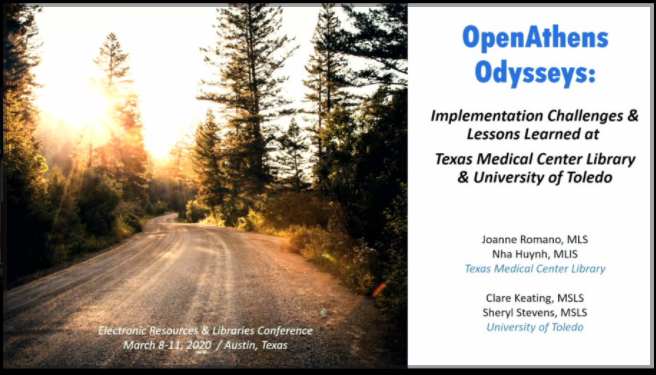
OpenAthens Odysseys: Implementation Challenges & Lessons Learned at Texas Medical Center Library & University of Toledo This webinar was originally presented at the ER&L 2020 Conference earlier this year but I recently signed up for free access to their videos. I decided to watch this one because we will be moving to OpenAthens later in the year and I wanted to hear what some other organizations had to say about the process. The biggest takeaway for me was to expect it to take longer. The two organizations' timelines for implementation seemed doable. But then you see just how long the process actually took and you go...Oh. Though in fairness the two organizations are much larger than SwRI is and have many more accounts so I’m sure that had a big part in how smoothly the implementation went. 

"Nothing Contributes so Much to Tranquilize the Mind"


Photo by Roman Kraft on Unsplash


"Nothing contributes so much to tranquilize the mind as a steady purpose."
Mary Shelley 

Rare Book Collection After resolving the issues of the database last week, this week I spent my time correctly uploading images as their own records. As of today, I have uploaded 1,980 images representing 100 books. Not quite halfway, but close. I also decided to add author portraits so that users can put a face to a name. 

A coworker is currently compiling a bibliography of the entire collection, so when she is finished I’ll be able to simply paste the author biographies into the database. She is also writing summaries on the importance of the book itself which can then be added to the database as well. 

Airtable’s layout is not conducive to fields with long text. Long titles, author biographies, and summaries are shown in part and include an ellipsis to indicate to the user that not all the information is visible. However, Airtable does allow for expanded records. When a user clicks on a tile, the expanded view will show all the information contained within the fields. Because of this feature, I am considering creating cover images that include the complete book title so users can quickly find books of interest. 

For the public gallery, the fields that will be visible to users are: Book Title, Author, Author Portrait, Birth-Death Date, Author Biography, Year Published, Publisher, Book Importance, Subject, Language, and Book Images. 

Rare Book Exhibit Last week, my boss told me and a coworker that we would have a meeting later in September to discuss ideas on creating a virtual exhibit. During normal (non-COVID) times, the library partners with a staff member to create an exhibit highlighting the importance of the rare book collection. The presentation usually focuses on a few books important in their field and that have had an impact on staff’s research and projects. Because many staff are still working-from-home, we are brainstorming ideas to bring a virtual experience to those not on campus.

I did a quick Google search of virtual exhibits and found that they run the gamut. Museums and exhibits in Google Arts & Culture are very well done. These are usually very well-known institutions. Then, there are other exhibits that are created with website platforms such as Squarespace and WordPress. Still others are a simple text-and-image webpage, no fancy scripts included. With everyone having to think creatively, there are many inspirations to draw from. 

One that particularly caught my attention was a YouTube video tutorial on how to get your students to create an interactive presentation using Google Slides. It was so cool! I played around with PowerPoint and found that the same idea could be applied. I have created a demo presentation for our meeting. Though the interactive PDF might not be selected for the final presentation, I’m thrilled to have learned a new tool for creating more interesting presentations. 

"Without Work One Finishes Nothing"

"Without work, one finishes nothing." 
-Ralph Waldo Emerson


Scopus Certification After six weeks of video tutorials, modules, and quizzes, I have completed my Scopus Certification. Yay! I dabbled in Scopus before the course so that I could create video tutorials, however, the course did help put realistic scenarios into context. For example, I knew that Scopus allowed one to compare sources but being able to concretely say that one can decide where to publish by comparing sources is a more specific example of use. I also liked that Scopus provided one-sheets for various audiences. Though some of the audiences aren’t relevant to SwRI, it still helps to see examples of outcomes that can be tailored to specific users. The course was very helpful overall. I was only slightly disappointed that the API module wasn’t more detailed but I know that they are a beast in their own right. It wouldn’t be fair to expect everyone taking the course to have the background knowledge of APIs to dive deeply into them. The course gave great examples of API use and even highlighted developer tutorials and examples for further research. 

LibGuides Analytics SwRI has its own special fiscal calendar with subperiods that I won’t claim to understand but that I liken to broadcast calendars. August 28th was the end of another month which means that this week I ran my LibGuides asset statistics. Each video tutorial I create gets uploaded to LibGuides as an asset along with the transcripts. At the end of each month, I run a report to see which tutorials were viewed the most during the month. This month, the featured video tutorial was How to Save Searches & Set Alerts in Google Scholar so it’s probably no surprise that it had the most views. My Getting Started with ASTM Compass video was approved, so that was also uploaded to LibGuides this week. 

1:1 Meeting My boss and I had our 1:1 meeting on Tuesday where we discussed course expectations, project updates, and any other issues or concerns. She mentioned that we will have a meeting later in September to discuss ways to showcase a virtual rare book exhibit. Brainstorming activated.

Rare Book Database I worked on the database side of the Rare Book Collection this week. I am using Airtable to catalog and showcase the Rare Book Collection. While looking through the gallery, I noticed that the images were not in the correct order. I want users to get as close to a “real” experience as possible so I want the images to display spine, front cover, pages front to back, then the back cover. However, the images were not correctly ordered in the database. I started to manually rearrange the images but quickly decided that there had to be an easier way of automating the task. After some Googling, I saw that unordered uploading was a common problem in Airtable. However, someone had created a script that could be run to automatically sort the image field. On the discussion thread, I noticed that someone mentioned it was bad practice to upload multiple images to one record. They stated that all images should be its own record and should then be linked to the relevant record. At first, I didn’t think this practice relevant to our purposes for the database but upon further reflection, I came to the conclusion that the user had a valid point. 

By uploading each image as its own record and then linking it to a relevant record, all records (and the data within them) would be more organized. Also, by uploading each image as its own record - new collections could be created easily without having to reupload the same image. For example, to get the database up and running I want to link all of a book’s images to the Book Title table. But if we ever wanted to create a new collection (such as Scientific Illustrations), all we would need to do is link the image record that is already in the database to a new parent record. 

This new system of organization meant that I had ended up deleting a table and creating a new one called Edited Images. The table, Public Book Gallery is now linked to the tables Edited Images and Author Info. By linking in this manner, any changes made to the Author Info table gets automatically updated in the Public Book Gallery. And by having the Edit Images table, at any point in the future, a new table can be created and easily linked to the images for a new gallery. 


With one problem solved, I then set about uploading all the images I had previously deleted to the newly created Edited Images table. However, when I started linking them I noticed that I had problems in my original naming convention. I have been naming images Book Title page number or identifier (e.g. Micromagentics p4; Micromagnetics title page). This created problems because the title page usually ends up being the last image when sorted alphabetically. To remedy this, I looked up ways in which I could quickly and easily sequentially rename all files in a folder. I found an easy way to perform the task in Windows. However, the task meant that all images would be renamed to the same title and a sequential number would be added to the end (e.g. Micromagnetics 1; Micromagentics 2). Renaming all of the images in this manner would make uploading to Airtable quick and easy. 

However, renaming the images in this way would make it more difficult for staff to find appropriate photos. Though my original naming convention can use some work, staff can search the folder for keywords (e.g. text, figures, plate). I feel that being able to search for features of the images is an important component of the collection. This means that the sequential renaming shortcut would not work in the situation. To solve the problem I have renamed the image with a digit leader (e.g. 01 - Micromagnetics title page; 02 - Micromagentics p4). This naming convention is not the prettiest but will allow the images to be sorted numerically so that they end up showing in the order I want them to. 

Thankfully, Airtable allows the primary field to be a formula. With some Googling, I applied a formula to the primary field that keeps the imported image name. Grouped by a feature (such as book title) and then sorted alphabetically, the images can be linked in the appropriate order. And because the original name also contains features of the image, one can search the database with a keyword and will still be able to yield relevant results.

"The Secret to Getting Ahead is Getting Started"

"The secret to getting ahead is getting started." 
-Mark Twain

Rare Book Collection As the rare book repository is my Practicum project, I have been making increased efforts to complete photographing all the rare books so I can then edit them in Photoshop and upload them to Airtable. This week I am happy to say that I finished one whole section. 

On-Demand Tutorials Because I like to have multiple projects to work on, I also completed another video tutorial this week: Getting Started with ASTM Compass. The tutorial is an introductory video to the ASTM Compass platform, which includes a section on conducting a basic standards search. Upon approval, I will then upload the video, transcript, and a still image to our LibGuides for staff to view.

Open Access Webinar During the week, I also attended a webinar on Open Access presented by Elsevier’s Researcher Academy. Through the presentation, I learned the difference between Gold and Green Open Access and the work Elsevier is doing on acquiring more Open Access content.

EBSCO CM Meeting My boss also invited me to sit in on a meeting with a representative from EBSCO Collection Manager. I very much appreciate the invitation to meetings that deal with the running of the library and the process of researching and selecting which platform may benefit staff the most. Because I am new to the profession in general, there are a lot of platforms I have not heard of, EBSCO Collection Manager being one of them. The layout seems easy-to-use and their ebook collection seems rather extensive.


"The Beginning is Always Today"

"The beginning is always today." 
-Mary Shelley


Practicum Introduction Today is the first day of the Fall Semester and thus my first official day in the Practicum. Though I am now officially considered a graduate intern through the University of North Texas, I have been interning full-time since March 30th at Southwest Research Institute. Southwest Research Institute (SwRI) is a nonprofit organization focused on innovations in science, technology, and engineering. Contracted by government and industry clients, staff work to provide research and development solutions in areas including automation, space science, transportation, and more.  

I started work in the Tom Slick Library in the middle of the COVID-19 pandemic and therefore have not seen more than 50 people in the library. Though the pandemic has changed workflows, I think beginning a new job during the transition from on-campus to working-from-home worked well in that I was able to focus on aspects of the job without many interruptions. 

On-Demand Tutorials My major tasks at work include creating a collection of on-demand video tutorials to support staff as they learn how library platforms integrate with each other. As of today, I’ve created a total of 22 videos that cover the basics of services such as Primo, Google Scholar, and Scopus, as well as explanatory videos on interlibrary loan and RightFind. 

Cataloging in koha To gain cataloging experience, I was also tasked with cataloging our subscription of IHS Engineering Workbench standards into our integrated library system, Koha. Once in Koha, our discovery system, Primo, would be able to retrieve the standards records and produce them in search results for our staff. Though staff still need to access the standards through the IHS Engineering Workbench platform, the addition of these records in Primo creates a more user-friendly experience by creating a single access point for staff to locate materials. 

I love learning new software, especially those as complex as Koha. While cataloging the standards, I utilized video tutorials and the Koha Wiki page to create a bibliographic framework. The bibliographic framework cut down on my cataloging time as I was able to stipulate which MARC fields and subfields I wanted to input. Once I learned how to input default values in the framework, my cataloging time was cut in half. 

Rare Book Repository My major project for the Practicum is to create a digital repository of the library’s 200 or so rare books. This entails photographing the rare books, uploading the photos to an online system, and putting in relevant metadata so that staff can virtually access the collection while off-campus. Currently, I have input all the metadata into an online database and have photographed about 50 items. The goal is to have the complete repository up and available for viewing by the end of November. 

Daily Duties Some other duties that my job entails include: scanning articles for document delivery, checking books in and out, staff reference assistance, and ensuring that staff who are leaving the organization are cleared from the library.


New Job, Who Dis?


I started a new job on Monday. I am a full-time intern at the library at Southwest Research Institute. It's weird to start during the middle of a pandemic. My orientation was in a room that was too big for the six of us and we were all spread at least six feet apart. The orientation itself was cut short; we were told only the absolutely necessary. Still, it's been great to get into a library again. 

Powered by Blogger.
© Sorry, I'm Booked
Maira Gall